You’ve probably wondered if using a wireless power bank for your iPhone is truly safe. After all, your phone is an investment, and you want to protect its battery and overall health.
Wireless charging sounds convenient—no cables, no plugs—but does it come with hidden risks? Could it harm your iPhone’s battery or cause overheating? You’ll discover the facts behind wireless power banks and whether they’re a smart choice for keeping your iPhone charged.
Keep reading to learn how to charge safely, avoid common mistakes, and extend your phone’s battery life with confidence.
Wireless Charging Basics
Understanding wireless charging is key to knowing its safety for iPhones. Wireless charging lets you power your device without plugging in a cable. It uses electromagnetic fields to transfer energy from the charger to your phone. This method offers convenience and reduces wear on charging ports.
Wireless charging is common in many modern smartphones, including iPhones. Apple supports wireless charging through its MagSafe technology. This system is designed with safety features to protect your phone’s battery and prevent overheating.
How Wireless Charging Works
Wireless charging uses a process called electromagnetic induction. The charger has a coil that creates a magnetic field. Your iPhone has a receiver coil that picks up this magnetic energy. The phone then converts this energy into electrical power to charge the battery.
The phone and charger must be close, usually within a few millimeters. This close distance helps efficient energy transfer. The system stops charging when the battery is full, protecting your device from overcharging.
Types Of Wireless Chargers
There are mainly two types of wireless chargers. The first is the standard Qi charger, which works with many devices. It is widely used and offers basic wireless charging features.
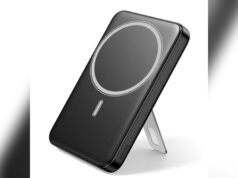
The second type is MagSafe chargers made by Apple. MagSafe uses magnets to align the charger perfectly with the iPhone. This alignment improves charging speed and safety. MagSafe chargers also support accessories like cases and wallets without blocking charging.
Choosing a certified and quality charger ensures safe and effective wireless charging for your iPhone.

Credit: www.amazon.com
Safety Features In Iphones
iPhones include strong safety features to protect the battery and the user. These features help prevent damage during charging. They keep the device cool and avoid overcharging. Apple designs these safeguards to ensure wireless power banks work safely with iPhones.
Understanding these safety features helps explain why wireless charging is safe. They provide peace of mind while using wireless power banks.
Overcharge Protection
iPhones stop charging automatically once the battery is full. This feature prevents overcharging and damage to the battery. It also helps maintain battery health over time. This means you can leave your iPhone on a wireless charger without worry.
Heat Management
Charging generates heat, but iPhones control it carefully. Sensors detect temperature rises and adjust charging speed to cool down. If it gets too hot, the iPhone pauses charging to protect the battery. This heat control reduces the risk of damage or accidents.
Battery Health Safeguards
iPhones monitor battery health continuously during charging. They reduce charging speed when the battery ages to extend its life. The system also learns your charging habits to optimize battery care. These safeguards keep your battery working well for longer.
Health And Radiation Concerns
Health and radiation concerns often arise with wireless power banks. Many users worry about how these devices affect their iPhones and personal health. Understanding the type of radiation involved and safety standards helps clear doubts. This section breaks down common questions about wireless charging safety.
Non-ionizing Radiation Explained
Wireless power banks use electromagnetic fields to transfer energy. These fields produce non-ionizing radiation, which is low-energy and safe. This radiation type is similar to what Wi-Fi and Bluetooth devices emit. It does not have enough energy to damage cells or DNA. Therefore, it cannot cause harmful effects like X-rays or UV rays.
Regulatory Safety Standards
Wireless chargers follow strict safety rules set by authorities like the FCC. These rules limit radiation levels to safe amounts for humans. Devices must pass tests before reaching the market. These tests ensure they do not overheat or emit unsafe radiation. Using certified chargers reduces risks and ensures compliance with health standards.
Health Risks Myths
Many fears about wireless charging come from myths and misunderstandings. Scientific studies show no clear proof linking wireless charging to health problems. The radiation emitted is too weak to cause harm. Phones also have built-in protections to prevent overheating and overcharging. Always pick quality chargers to avoid faulty products and ensure safety.

Credit: www.reddit.com
Impact On Iphone Battery
Wireless power banks offer a convenient way to charge your iPhone without cables. The charging process uses electromagnetic fields to transfer energy. This method can affect your iPhone’s battery in several ways. Understanding these effects helps keep your battery healthy and lasting longer.
Battery health is important for maintaining your phone’s performance. Charging habits and tools play a big role in this. Wireless charging has unique factors compared to wired charging that impact battery life differently.
Heat Effects On Battery Life
Heat is the main factor that can reduce battery life during wireless charging. Wireless power banks produce some heat because energy transfers through the air. Excess heat can damage the battery’s chemical structure over time. Apple designs iPhones to handle heat and stop charging if temperatures get too high. Still, using a quality wireless power bank helps keep heat levels low. Avoid charging your phone on soft surfaces like beds or pillows to prevent extra heat buildup.
Comparison With Wired Charging
Wired charging delivers power directly through a cable and usually generates less heat. This can be gentler on the battery compared to some wireless chargers. However, fast wired chargers may also increase battery temperature. Wireless charging is slower, which can reduce stress on the battery. Both methods have safeguards to protect the battery from overcharging and overheating. Choosing certified and reliable chargers is key for either type.
Long-term Battery Wear
All charging cycles cause gradual battery wear. Wireless charging may cause slightly more wear if the phone heats up more often. Still, modern iPhones manage power well to limit damage. Charging wirelessly reduces wear on the physical charging port. This can extend the phone’s lifespan by preventing damage to the port. Regularly monitoring your battery health and avoiding extreme temperatures helps reduce long-term battery wear.
Choosing The Right Wireless Power Bank
Choosing the right wireless power bank for your iPhone is important for safety and efficiency. A good power bank can protect your phone’s battery and charge it quickly. Not all wireless chargers work well with iPhones. Some may cause overheating or slow charging. Select a power bank that matches your phone’s needs.
Quality, certification, and compatibility are key factors. They ensure safe charging and longer battery life. This section explains how to pick the best wireless power bank.
Certified Chargers And Brands
Always choose wireless power banks with official certifications. Look for MFi (Made for iPhone) certification from Apple. Certified chargers meet Apple’s safety and performance rules. Trusted brands follow strict quality standards. They include Anker, Belkin, and Mophie. Certified products reduce risks like overheating or battery damage. They also charge your iPhone faster and more reliably.
Avoiding Cheap Alternatives
Cheap wireless power banks often lack safety features. They may overheat or deliver unstable power. Low-quality chargers can harm your iPhone battery over time. Avoid unknown brands with poor reviews. Cheap alternatives might not stop charging when the battery is full. This can shorten your battery’s lifespan. Investing in a reliable power bank saves money and trouble.
Compatibility With Iphones
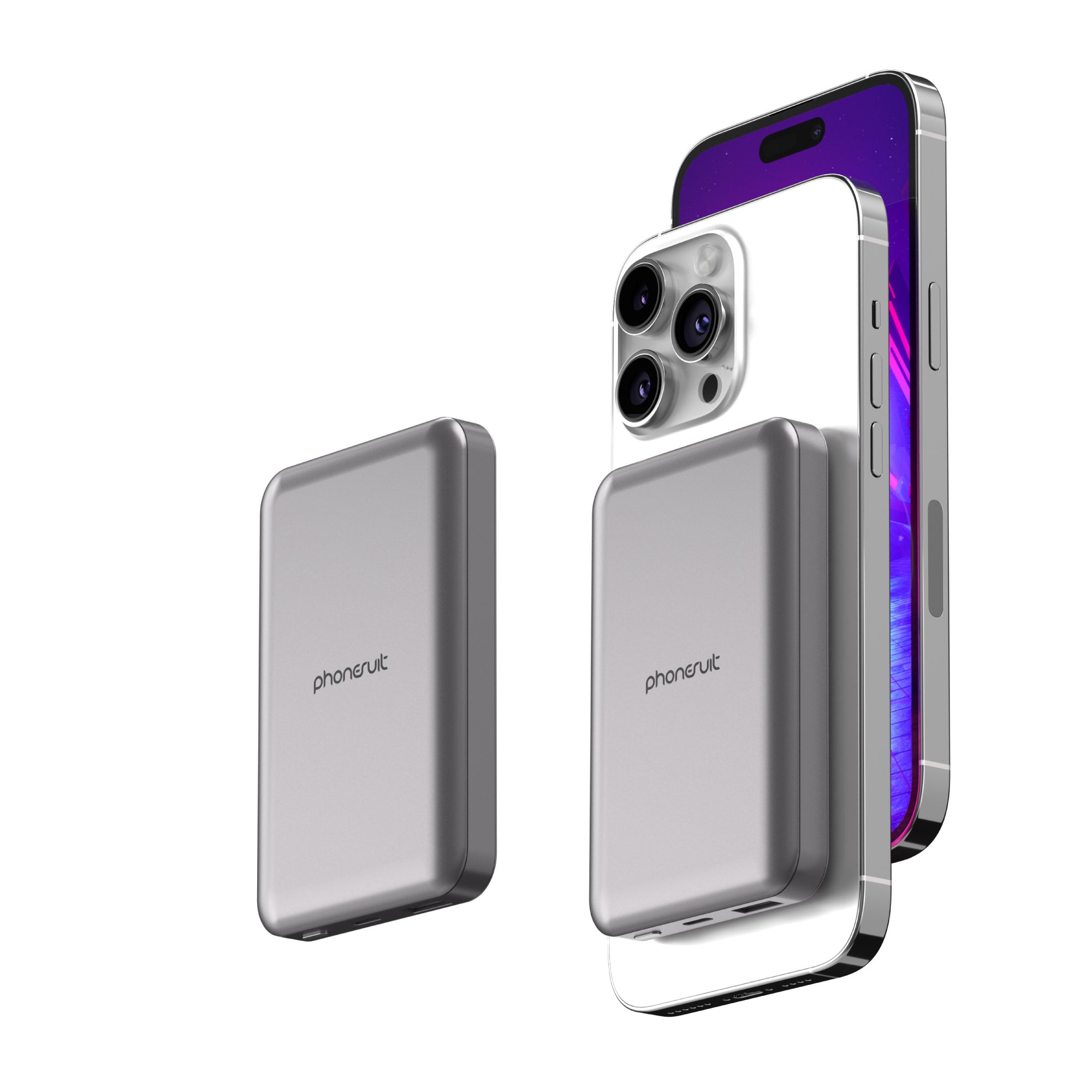
Not all wireless power banks support all iPhone models. Check if the charger supports the Qi wireless charging standard. iPhones from the iPhone 8 and newer use Qi charging. Some power banks offer MagSafe compatibility for faster charging. MagSafe chargers attach magnetically to the iPhone 12 and newer. Using compatible chargers ensures stable power and prevents damage. Always read the product details before buying.
Credit: www.esseg.eu
Best Practices For Wireless Charging
Wireless charging offers a convenient way to power up your iPhone without cables. Following best practices ensures safety and efficiency. Proper use can protect your device and extend battery life. Here are key tips to charge wirelessly with confidence.
Removing Cases And Obstructions
Remove thick or metal cases before wireless charging. Cases can block the charging signal or cause overheating. Thin, non-metal cases usually work fine. Keep the charging area clear of objects like credit cards or keys. This avoids interference and potential damage.
Charging Overnight Safety
Modern iPhones stop charging when full, preventing overcharge. Wireless charging overnight is generally safe with certified chargers. Use chargers with built-in safety features to avoid overheating. Place your phone on a flat, stable surface to reduce risks during night charging.
Maintaining Charging Efficiency
Align your iPhone properly with the wireless charger. Misalignment slows charging or stops it completely. Clean the charging pad and phone surface regularly to remove dust. Avoid charging in very hot or cold environments. These steps help keep charging fast and effective.
Common Myths And Misconceptions
Many people have doubts about wireless power banks and their safety for iPhones. These doubts often stem from myths and misunderstandings. Clearing these myths helps users feel more confident using wireless charging technology. Below, we explore common myths and explain the truth behind them.
Wireless Charging Dangers Debunked
Some believe wireless charging can harm your health or phone. This is not true. Wireless chargers use low-energy magnetic fields, similar to Wi-Fi or Bluetooth. These fields are safe and do not cause harm.
Phones have built-in safety features to stop charging once full. This prevents overheating or damage. Using certified chargers further reduces any risk.
Battery Damage Myths
Many worry wireless charging shortens iPhone battery life. This is a misconception. Modern iPhones manage charging carefully to protect battery health. Wireless charging does not cause faster battery wear.
In fact, wireless charging can reduce wear on charging ports. Less plugging and unplugging means less physical damage over time.
Radiation Fears Addressed
Some fear radiation from wireless charging harms the body. The truth is wireless chargers emit non-ionizing radiation. This type of radiation is very weak and safe.
Regulatory agencies set strict safety limits on these emissions. No scientific proof links wireless charging radiation to health problems.
Frequently Asked Questions
Is It Safe To Use Wireless Charger On Iphone?
Yes, using a wireless charger on an iPhone is safe. IPhones have built-in protections to prevent overcharging and overheating. Use certified, quality chargers to ensure efficient and secure charging. Wireless charging also reduces wear on the charging port, helping extend your device’s lifespan.
Are There Any Dangers With Wireless Charging?
Wireless charging is generally safe, emitting low-energy, non-ionizing radiation similar to Wi-Fi. Use certified chargers to avoid overheating. Modern phones prevent overcharging and manage heat effectively. Poor-quality chargers may cause heat or performance issues, so choose trusted brands for safer wireless charging.
Can Wireless Charging Damage Iphone Battery Health?
Wireless charging does not damage iPhone battery health. IPhones have built-in safeguards to prevent overcharging and overheating. Using certified wireless chargers ensures safe, efficient charging without harming battery lifespan.
What Is The Healthiest Way To Charge An Iphone?
Charge your iPhone using certified, quality chargers like MagSafe. Avoid overheating by removing thick cases. Stop charging at 80-90% for battery longevity. Use wired charging occasionally to maintain battery health. Never let your battery drain completely before recharging.
Conclusion
Wireless power banks are generally safe for iPhones. They use low energy and have built-in protections. Your phone stops charging once full, avoiding damage. Using certified chargers helps prevent overheating and other risks. Avoid cheap or uncertified products to ensure safety.
Removing thick cases improves charging efficiency and reduces heat. Wireless charging also protects your phone’s charging port. Overall, with proper use, wireless power banks pose little risk to your iPhone’s battery or health. Choose quality products and follow simple tips for safe charging every time.